1. Run and read your first review
Build this example in your Unreal practice project and check the result at each step.
On this page
Select the practice tables and learn to distinguish the review status from the data findings.
- Open Tools → RowTether. If the editor groups studio tools, open Tools → Tether → RowTether.
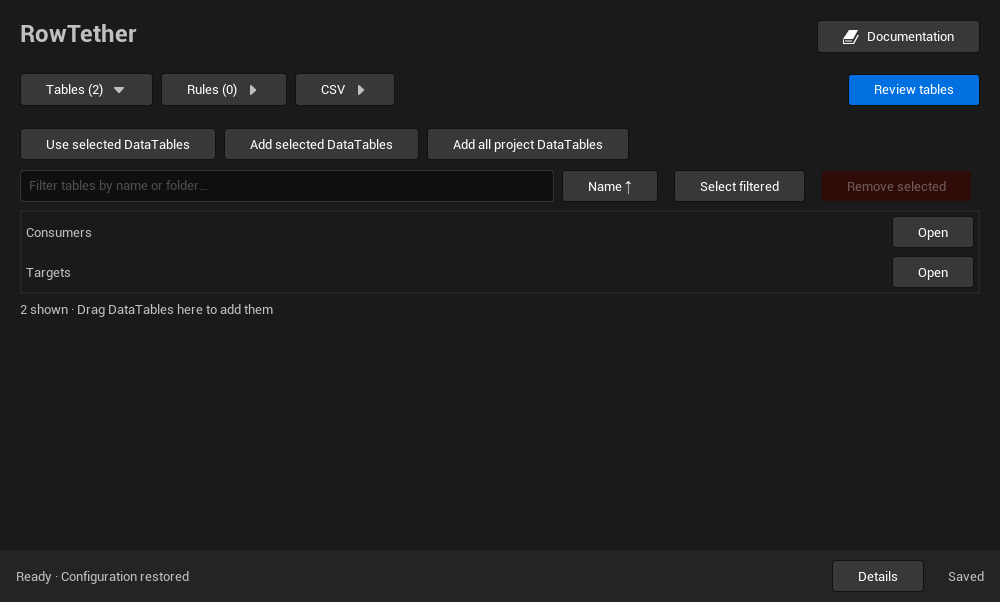
- In the Content Browser, select
TargetsandConsumers, then click Use selected DataTables. - Expand Rules → References and game rules and load
Fixtures/nullable-handles.json. This profile marksLinkas nullable; the empty handles in the CSV are intentional. - Wait for the review started by the profile to finish. Check its status and coverage before interpreting the results table.
- The expected result is two current errors:
C4points to aMissingrow that does not exist, andC5has no destination table. Optional empty handles do not create errors. - Open both findings to locate the row and
Linkproperty in the source DataTable.
A Completed review can still contain errors: status describes the run; findings describe the relationships it found. If coverage is Partial, inspect the reasons before deciding a table is clean.
If the result differs, confirm the panel uses these tables’ object paths and that nullable-handles.json is loaded. This profile allows empty handles; it does not make missing rows or destination tables valid.